Motion Retargeting
KangEngine provides angle (local-rotation transfer) and IK (trajectory optimization) retargeting.
Both workflows use three configuration levels:
MotionSourceProfile: source format, coordinate system, unit scale, and reference skeleton/motion shared by one motion family.Target profile: target skeleton or articulation structure and target-wide properties.
Pair config: the concrete source-to-target mapping, bind calibration, scale/offset, weights, and constraints.
assets/retarget/
├── motions/        shared source motion profiles
├── angle/
│   ├── targets/    angle target profiles
│   └── pairs/      angle source-target pair configs
└── ik/
    ├── targets/    IK articulation target profiles
    └── pairs/      IK source-target pair configs
Demos
Angle retargeting |
IK retargeting |
|---|---|
|
|
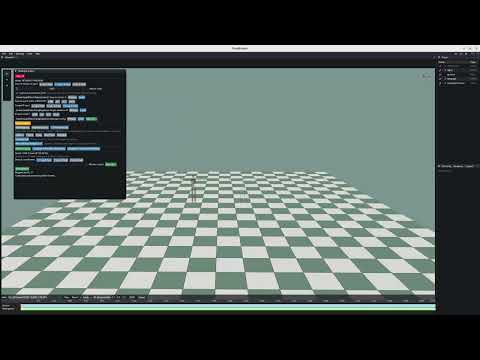
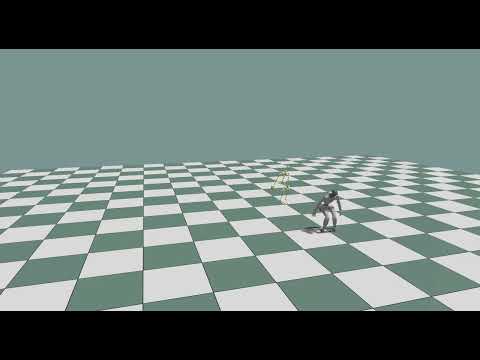
Create a config
TODO: Add a detailed visual guide for the angle and IK editor workflows.
Use the shared launcher to select an editor mode:
python python/tools/animation/retarget_editor.py --mode angle
python python/tools/animation/retarget_editor.py --mode ik
A source clip can be replaced without changing its motion-family profile or pair config.
For angle retargeting, load source and target references, adjust their bind poses, map joints, preview the result, and export the config.
The reference source contains a skeleton and a reference pose used to calibrate the source and target bind poses. Motions processed later may be different clips from the same family, but must use the same joint names and hierarchy.
Enable Source has armature joint when a BVH has a top-level container above
the actual skeleton root. KangEngine removes that container and promotes its
only child (for example Hips) to the motion root. The choice is stored as
has_armature_joint in the shared motion source profile and is also used by
headless jobs.
Headless conversion
Convert one motion without opening a window:
python \
  python/tools/animation/angle_retarget_motion.py \
  --config character_angle_retarget.json \
  --input walk.bvh \
  --output walk_kw.bvh
Convert a directory:
python \
  python/tools/animation/angle_retarget_motion.py \
  --config character_angle_retarget.json \
  --input-dir motions \
  --output-dir retargeted \
  --suffix _kw
Python API
from kangengine.animation import AngleRetargetProcessor

processor = AngleRetargetProcessor("character_angle_retarget.json")
processor.process_file("walk.bvh", "walk_retargeted.bvh")
processor.process_files(["run.bvh", "jump.bvh"], "retargeted")
IK uses the corresponding processor and CLI shape:
from kangengine.animation import IKRetargetProcessor

processor = IKRetargetProcessor("character_ik_retarget.json")
processor.process_file("walk.bvh", "walk_retargeted.npz")
IK output is saved as an ArticulationMotion NPZ.
python python/tools/animation/ik_retarget_motion.py \
  --config character_ik_retarget.json \
  --input walk.bvh \
  --output walk_retargeted.npz
Input motions are converted to KangEngine’s internal coordinate system before retargeting and converted to the config’s output coordinate system when saved.